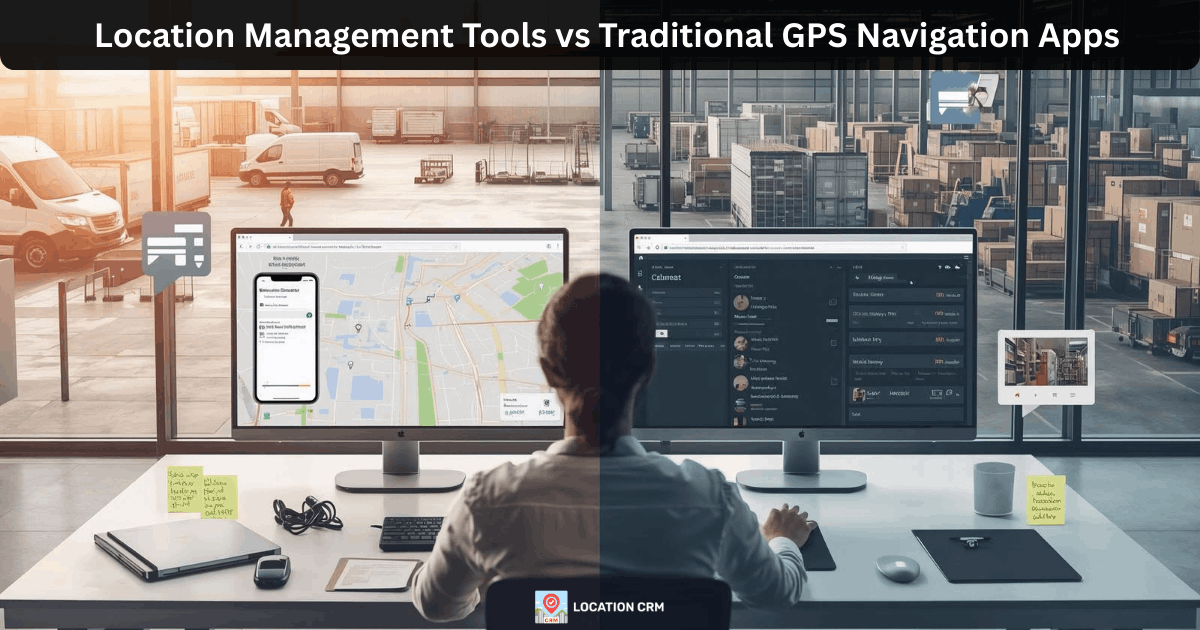
Many logistics teams use GPS navigation apps every day. Drivers open the map, type an address, and follow the route. Simple, right? But when a business starts handling many deliveries, service visits, or field jobs, that basic setup begins to struggle. Addresses must be entered again and again. Delivery history disappears after the trip. Dispatch teams spend time coordinating calls. That is where confusion starts between navigation apps and true location management tools.
A traditional GPS navigation app focuses on directions. It helps a driver reach one destination. A location management crm works differently. It stores locations, assigns tasks, and keeps records of completed journeys. For B2B logistics teams, that difference matters a lot. When operations grow, businesses need structure, not just directions.
In this article, we will break down the real difference between location management tools and traditional navigation apps. You will see where each works well and where logistics operations often need something more organized.
Why Businesses Outgrow Basic GPS Navigation Apps?
Navigation apps work well at the start. A driver types an address, follows the route, and completes the trip. For small teams doing a few stops a day, that setup feels fine. But as deliveries increase, problems begin to show up. Businesses handling many service locations quickly realize a basic GPS navigation app cannot manage operations alone. It helps drivers reach a place, sure, but it does not organize the workflow behind those trips.
Common problems start appearing in daily operations:
- The same customer addresses are typed again and again
- Dispatch teams must coordinate drivers through calls or messages
- Delivery history disappears after the trip
- Teams cannot see which locations were completed earlier
Over time, this creates confusion. A location management system or location tracking software solves these issues by storing locations and linking them to tasks. Instead of repeating work, teams use saved data.
Consider a small logistics company managing about 150 weekly stops. Drivers rely only on navigation apps. Addresses are entered manually every day. When a delivery dispute happens, there is no stored route record. As the business grows, scaling becomes messy. That is when companies start looking for a logistics delivery management tool that keeps operations organized, plain and simple.
What Traditional GPS Navigation Apps Actually Do?
GPS navigation apps are built for one main job. They guide a driver from one place to another. A driver opens the app, types an address, and the route appears on the screen. Traffic conditions are checked, and the fastest path is suggested. It feels simple and quick, and yeah, it works well for daily driving.
A traditional GPS navigation app usually helps with a few core tasks:
- Provide step by step driving directions
- Adjust routes based on traffic conditions
- Guide drivers turn by turn to the destination
- Suggest faster paths when roads are busy
That is the purpose of navigation technology. It focuses on getting the vehicle to the destination. It does not manage delivery operations, team coordination, or location records. For personal driving or occasional trips, that is perfectly fine.
Think about a delivery driver starting the day. The driver receives an address from dispatch. It is entered into the navigation app, and the route appears instantly. After the stop is completed, the next address is entered again. The process repeats all day. Navigation apps guide the trip, sure, but they do not store customer locations or manage delivery workflows for businesses.
What Location Management Tools Handle for Businesses?
A location management system helps companies manage location data and daily tasks together. Instead of entering the same address again and again, locations are saved once and reused later. That alone saves a lot of time, honestly.
Key capabilities businesses usually need include:
- A location database that stores customer or service sites
- Task assignment linked to saved locations
- Visibility into which team member handled each stop
- Records showing when tasks were completed
These tools support real operations. A delivery task is created. A saved location is selected. The driver travels to the site using a navigation app. When the task is finished, the journey can be recorded and stored.
Imagine a delivery company managing thousands of service locations. Without a location database, every address would be typed repeatedly. With a location management platform, those locations stay organized. Dispatch teams assign tasks faster, and teams stay coordinated, simple as that.
The Workflow Difference Businesses Notice Daily
The biggest difference between navigation apps and location management tools appears in the daily workflow. Most articles talk about features, but they rarely explain how work actually happens on the ground. That is where businesses notice the gap pretty quickly.
When a team depends only on a GPS navigation app, the process stays manual. Each stop is handled separately. Drivers keep typing addresses again and again. Dispatch teams often need to guide drivers through calls or messages. It works for a few stops, sure, but once delivery volume grows, things start getting messy.
Typical navigation workflow looks like this:
- Address entered manually by the driver
- Route followed using the navigation app
- Stop completed with no stored operational record
A location management tool changes the workflow completely. The system organizes tasks and locations before the driver even starts the trip. That structure helps teams avoid repeated work and confusion.
A structured location CRM workflow usually works like this:
- Location saved once in the system
- Task assigned to a driver or technician
- Driver travels using navigation for directions
- Journey logged after task completion
This approach gives businesses something navigation apps cannot provide. They get organized location records and task history. For growing delivery operations, that clarity makes a big difference, plain and simple.
Cost Problems With Navigation-Only Delivery Setup
A GPS navigation app helps drivers reach a destination. But when a business runs deliveries using only navigation, hidden costs begin to appear. At first the problems seem small. Over time they stack up. Dispatch teams spend more time coordinating drivers, and delivery mistakes increase. That is when a navigation only setup starts costing real money.
Common operational costs from manual navigation workflows include:
- Duplicate routes where two drivers visit the same area
- Missed deliveries because addresses were entered incorrectly
- Extra miles driven due to poor stop planning
- Frequent dispatch phone calls to guide drivers
Each issue adds time and fuel cost. Now look at a simple example. A small delivery company runs 20 routes each day. If every driver travels just 5 extra miles because stops are not organized, that becomes 100 extra miles daily. Over a month, that turns into thousands of unnecessary miles. Fuel expenses rise, and vehicles wear out faster.
A location management system helps reduce these problems. Locations are stored once. Tasks are assigned clearly. Drivers follow organized routes. The journey record is stored after completion. That structure removes repeated work and helps logistics teams control operational costs, plain and simple.
Where GPS Navigation Apps Still Work Well Today?
Navigation apps are still very useful. Not every situation needs a full location management system. In many cases, a simple GPS navigation app is enough to get the job done. For individual trips or small tasks, navigation tools work quickly and reliably. They help drivers reach destinations without complicated setup, and honestly, that simplicity is helpful.
Navigation apps usually work well in situations like these:
- Individual drivers traveling to one destination
- Personal travel or daily commuting
- Freelancers handling occasional service visits
- One time delivery or pickup trips
In these cases, the driver just needs directions. The address is entered once, the route appears, and the trip is completed. There is no need to store customer locations or track operational history. A navigation app handles the trip smoothly.
Most comparison articles ignore this point. They try to replace navigation apps completely, which is not realistic. The truth is, navigation tools are still valuable for simple travel needs. Problems appear only when businesses manage many locations and teams. That is when a location management platform becomes more useful. Both tools have their place, and knowing when each works best helps businesses choose wisely.
Why B2B Logistics Needs Location CRM?
B2B logistics works differently from simple deliveries. Many businesses visit the same locations again and again. Warehouses, retail stores, service sites, and client facilities are part of daily routes. When teams rely only on navigation apps, those locations must be entered repeatedly. That wastes time and creates confusion, honestly.
Location systems help businesses organize these repeated visits. Instead of typing addresses every day, locations are stored once in a structured database. Teams can quickly select a saved location and attach tasks to it. That makes location management much easier for dispatch teams and field staff.
A location management system usually supports operations in several ways:
- Repeat service locations can be saved and reused
- Delivery accountability is tied to each completed task
- Proof of service can be recorded after the visit
- Team activities are linked to specific locations
Consider a service company with five technicians working across a city. Each technician visits multiple client sites every day. If navigation apps are used alone, every address must be entered again. There is no task history. A location CRM changes that workflow. Locations are stored, tasks are assigned, and completed visits are recorded. That structure keeps B2B operations organized and accountable.
Multi-Location Business Operations Need Better Structure
Businesses operating across multiple locations face a different level of complexity. A single warehouse may be easy to manage, sure, but once operations spread across regions, coordination becomes harder. Regional teams may handle deliveries in different areas. Warehouses may serve different customer zones. Without structure, confusion grows quickly.
Multi location operations usually struggle with issues like these:
- Warehouse coordination between different service areas
- Regional teams handling overlapping delivery zones
- No shared location database for customer sites
A location management system solves these problems by centralizing location data. Customer locations are saved in a shared database. Dispatch teams can assign tasks based on region or warehouse. Drivers access the correct locations without retyping addresses.
This structure keeps operations organized. Warehouses manage deliveries clearly. When locations and tasks are linked together, multi location logistics becomes far easier to control, plain and simple.
How Data and Route History Improve Logistics Decisions?
Good logistics decisions depend on reliable data. When businesses rely only on a GPS navigation app, most of that data disappears after the trip ends. The driver reaches the destination, the route closes, and the system moves on. That works for directions, sure, but it does not help managers understand how operations actually performed.
A location management platform keeps operational history. When a task is completed, the journey record can be stored. Over time, this data becomes very useful for planning and improving daily routes. Managers can review what happened during deliveries instead of relying only on memory or phone updates.
Operational insight usually comes from data like this:
- Stored journey history showing how routes were completed
- Repeat route optimization based on past trips
- Service audits verifying that locations were visited
- Operational reports summarizing daily activity
This information helps logistics teams make better decisions. If a route takes longer than expected, it can be reviewed and improved. If a service visit is questioned, the history provides proof.
Navigation apps do not store this type of operational data. They guide the trip, but they do not track the business process behind it. Location management tools provide that deeper visibility for growing teams.
When Companies Switch to Location CRM?
Many companies start with simple navigation tools. At the beginning, that setup works fine. Drivers enter an address, follow the route, and complete the stop. But as the business grows, the workflow begins to feel messy. Teams spend more time coordinating deliveries, and honestly, small problems appear more often.
Several signs usually show that a company needs to move beyond basic navigation apps:
- Delivery volume keeps increasing every week
- More drivers or technicians are added to the team
- Service compliance requires proof of completed visits
When deliveries grow, entering addresses repeatedly becomes slow. Dispatch teams must track who visited which location. Without a structured system, records are difficult to verify.
A location CRM helps solve this. Customer locations are saved once. Tasks are assigned to drivers. When work is completed, the journey can be logged and stored. This creates a clear history of service activity. For growing logistics teams, switching to a location CRM often becomes a practical next step.
How to Choose the Right Tool for Logistics Operations?
Not every business needs the same type of system. Some teams only require directions for daily travel. Others manage hundreds of locations and multiple drivers. Choosing the right tool depends on how complex the operation is. A simple navigation app may work for small workloads, sure, but larger logistics teams usually need better structure.
Before selecting a system, businesses should review a few key factors:
- Number of drivers working each day
- Number of customer or service locations
- Frequency of repeat deliveries or visits
- Level of operational visibility needed
For example, a team with two drivers handling occasional trips may only need navigation. The workflow stays simple, and that setup works fine.
But when many locations and drivers are involved, operations become harder to track. Dispatch teams must coordinate tasks and confirm completed visits. That is when a location management platform becomes useful. It stores locations, assigns tasks, and keeps a record of completed work so teams can operate with more clarity.
Final Takeaways for Modern Logistics Teams Today
Navigation apps and location management tools serve different purposes. A GPS navigation app helps drivers reach a destination. It is useful for individual trips and personal travel. But when businesses manage many locations and teams, operations need more than directions. They need organization, visibility, and reliable records.
Location management platforms focus on operations. Locations are stored once and reused. Tasks are assigned clearly. Journey records are logged after work is completed. That structure gives teams better operational visibility and helps managers understand what is happening across deliveries and service visits.
As logistics operations grow, scalability becomes important. More drivers, more locations, and more tasks can quickly create confusion if systems are not organized. A location management tool helps teams scale without losing control of daily workflows.
If your logistics or service team is starting to outgrow basic navigation apps, it may be time to consider a better solution. You can request a demo of Location CRM to see how organized location management can support your operations.
FAQ
1. What is the main difference between a GPS navigation app and a location management tool?
A GPS navigation app gives driving directions from one place to another. A location management tool organizes business operations around locations. It stores customer sites, links tasks to those locations, and keeps records of completed visits.
2. When should a logistics business move from navigation apps to a location management system?
A location management system stores service locations, assigns tasks to drivers, and records completed visits, giving growing logistics teams better coordination and operational visibility.
3. How do location management tools reduce repeated address entry for drivers?
Customer and service locations are saved once in a central database. Dispatch teams select these saved locations when creating tasks instead of typing addresses repeatedly. Drivers simply open the assigned task and start navigation. This small change saves time each day and reduces mistakes that occur when addresses are entered manually for every delivery or service visit.
4. Do location management systems store delivery or service history?
Most systems keep a record of completed tasks tied to specific locations. This history may include when the visit happened, which team member handled it, and the route taken to reach the location. Over time this information helps companies review operations, confirm service activity, and improve future scheduling for deliveries or maintenance visits.
5. What problems occur when businesses rely only on navigation apps for logistics?
Navigation apps only guide the driver to a destination. They do not store business location records, track completed tasks, or coordinate team activities. As delivery volume grows, teams may face repeated address entry, poor visit tracking, and communication gaps between dispatch and drivers. A location management system adds structure by organizing locations, tasks, and operational history.