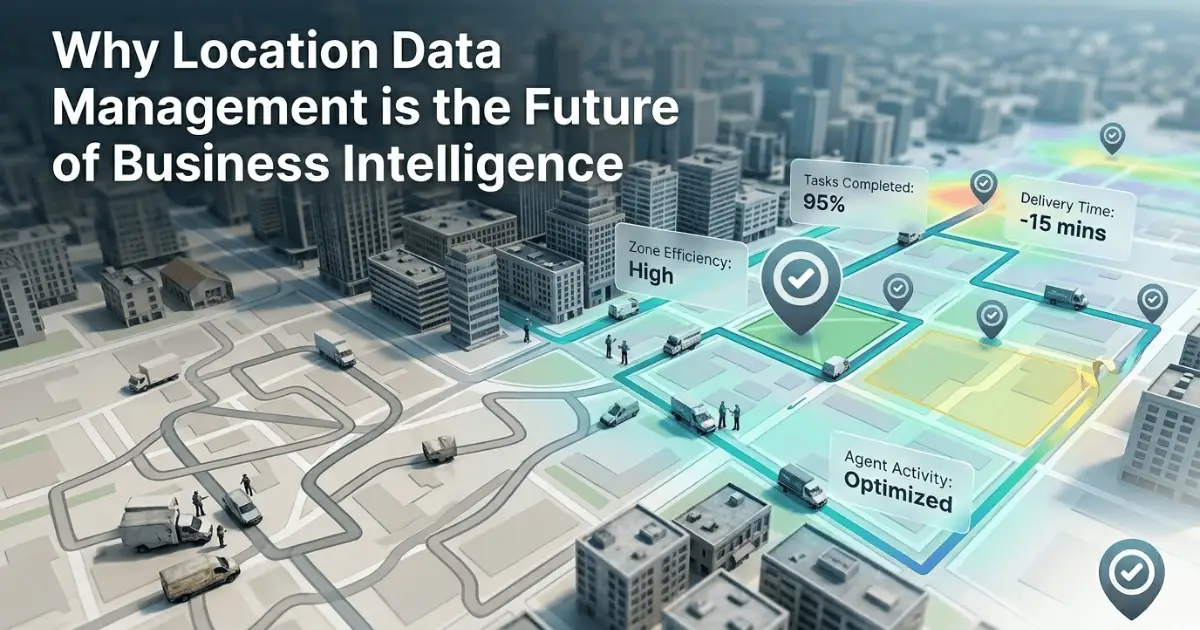

Most people miss this, but around 80% of business data has a location part. Addresses, routes, delivery zones, store visits. It is everywhere, right? Still, many tools ignore it. Feels odd, doesn’t it?
Here is the problem. Traditional dashboards show numbers, charts, and reports. They do not show where things happen. So teams miss patterns. Sales drops in one area go unseen. Delivery delays keep repeating.
This is where a Location Data Management App changes things. It brings place into data. It turns raw numbers into clear maps and actions. A good CRM software helps track teams, manage routes, and assign tasks better.
In this article, you will see what location data management means, why it matters in modern business intelligence, and how a location intelligence platform with geospatial data analytics can fix real daily problems.
What Is Location Data Management, Exactly?
Location data management is the way a business collects, stores, and uses data tied to a place. Simple, right? It can be a store address, a delivery route, or a live GPS point from a field agent. All this data is organized inside a Location Data Management App so teams can see what is happening and where it is happening.
So, what is location data in business? It is any data linked to a real-world location. Think sales by area, delivery times by route, or customer visits by region. When used with geospatial data analytics, this data shows patterns that normal reports miss. Pretty useful, right?
GPS coordinates, geofences, and spatial records defined
- GPS coordinates show exact positions using latitude and longitude
- Geofences are virtual boundaries on a map,something like a delivery zone or store radius
- Spatial records store location-based events such as check-ins, routes, or stops
These pieces work together inside a location intelligence platform. They help track movement, trigger alerts, and improve planning. It just makes things clearer, you know?
How it differs from traditional CRM data
Traditional systems store names, numbers, and transactions. That is fine, but it lacks context. A location CRM software adds the missing layer, which is location.
This shift helps with route optimization software and task assignment software. Teams work smarter, not harder. Data is not just stored. It is used in real time.
Why Location Data Is a BI Blind Spot for Most Teams
Most teams rely on dashboards that show numbers, trends, and reports. Looks solid on the surface, right? But one key piece is often missing. The “where.” Without it, decisions are made with half the picture and that gap can cost more time, money, and effort.
A Location Data Management App fixes this gap by adding place to data. It connects actions to locations, so patterns become clear. With geospatial data analytics, teams can spot issues faster and act on them. Still, many businesses stick to old tools. Kind of surprising, huh?
The cost of missing the “where” in decisions
When location is ignored, problems stay hidden. Sales may drop in one area, but reports show only totals. Delivery delays keep happening, but no one sees the route issue.
Here is what often happens:
- Poor route planning increases fuel costs, wastes time, and reduces daily coverage, leading to less completed tasks and steady revenue loss.
- Frequent delays create frustration, reduce customer trust, and increase complaints, which directly impacts retention and overall service experience.
- Ignoring location data hides trends across regions, causing poor decisions, missed opportunities, and inefficient planning based on incomplete insights.
This is why location data is important in business intelligence. A location intelligence platform shows trends on a map, not just in tables. That small shift can change how decisions are made. It just clicks better, you know?
Manual tracking methods that slow field teams down
Many teams still rely on calls, spreadsheets, or basic GPS logs. It works, but it is slow and messy. Updates get delayed. Errors creep in. Teams waste time fixing data instead of acting on it.
Take a delivery company as an example. Drivers report locations manually or through scattered tools. Routes are not optimized. Managers cannot track delays in real time. The result? Late deliveries and unhappy customers.
With location data management for logistics companies, things run smoother:
- Location-based records replace guesswork and reduce manual follow-ups. Managers rely on clear activity logs instead of constant calls, which saves time.
- Route optimization software reduces travel time and avoids delays. Teams follow better paths, complete more tasks, and improve delivery speed. Pretty useful, right?
- Tasks are assigned based on location, so the right person handles the right job. This reduces confusion, avoids overlap, and improves team efficiency.
A proper location CRM software brings all this into one system. No confusion. No back and forth. Just clear, location-based decisions.
5 Ways Location Data Transforms Business Intelligence
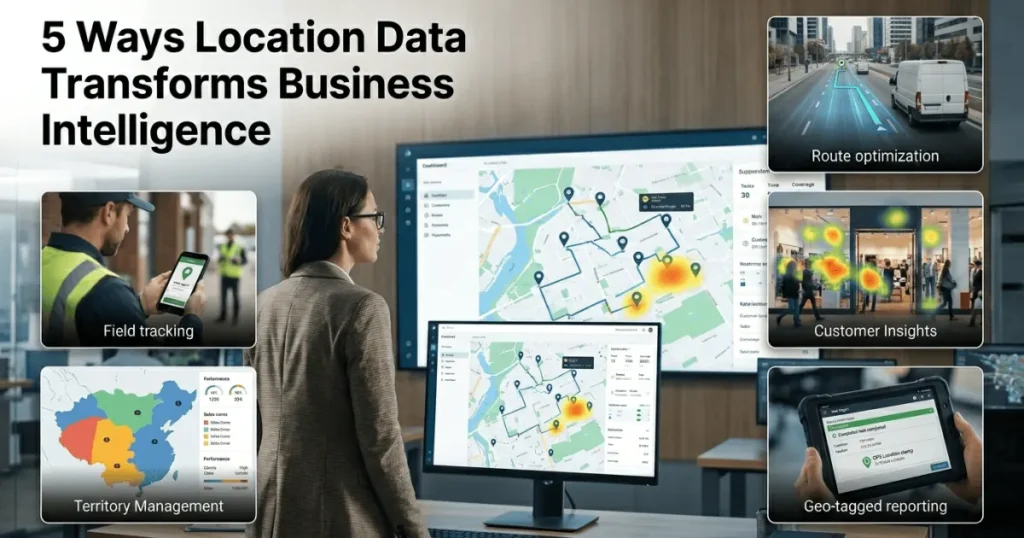
Location changes how teams see data. Numbers alone can feel flat. Add place, and things start to make sense. Patterns show up. Problems stand out. A Location Data Management App turns daily activity into clear insights using geospatial data analytics. Pretty neat, right?
Here are five ways it makes a real impact.
1. Field visibility and task accountability
Managers can review where teams have worked and what tasks were completed. No guessing. No endless calls. Tasks are tracked inside a location CRM software, so delays or missed visits are easy to catch.
- GPS-based tracking records where teams have worked and their movement history. It gives clear visibility without constant calls.
- Task updates are recorded as work gets completed, so managers can review progress without chasing teams. It keeps things smooth and less messy.
- Location-linked task records improve accountability across teams. Work is tracked with proof, so errors are reduced.
It keeps everyone on the same page. Simple and clear.
2. Smarter route planning and delivery optimization
Bad routes waste time and fuel. It adds up fast. With route optimization software, businesses can plan better paths and avoid delays.
- Shorter routes cut fuel use and reduce travel time, which lowers daily costs. Teams complete more tasks in less time, and that helps margins.
- Faster deliveries keep customers happy and improve trust. Orders arrive on time, service feels reliable, and complaints are reduced.
- Traffic patterns and stop data help plan better routes. Teams avoid delays, choose smarter paths, and improve overall delivery efficiency.
This is key for location data management for logistics companies. Routes are not random anymore. They are planned with data.
3. Customer location insights for personalization
Not all customers behave the same. Location shows why. A location intelligence platform can group customers by area and behavior.
- Location data helps spot high-value regions where demand is stronger, so teams can focus efforts where results are better.
- Offers can be tailored based on location, so customers see what actually fits their needs. That improves response and keeps things relevant.
- Local marketing improves when businesses target the right areas, reduce wasted spend, and focus on zones that perform better.
Feels more targeted, right? That is because it is based on real patterns.
4. Site selection and territory management at scale
Picking the right place matters a lot. A bad location can hurt growth. With location data, businesses can choose better sites and divide territories smartly.
- Location data helps find high-demand areas, so teams can focus on regions where activity is higher.
- Workloads can be balanced across regions, so no team is overworked or underused. It keeps operations smooth and fair.
- Clear location-based planning helps avoid overlap between teams, reducing duplicate work and saving time across daily operations.
This answers a big part of how to manage location data for business in a practical way.
5. Geo-tagged reporting for compliance and audit
Manual reports can be messy. Things get missed. With geo-tagging, every action is linked to a place and time.
- Location stamps provide clear proof of visits, showing where and when work was done.
- Logs are recorded with location data, so audits become simple and reliable. Errors are reduced, and records stay clear.
- Field activity is tracked through location records, making it easier to review work, spot gaps, and manage teams better.
Using task assignment software with geo-tagging keeps records clean and reliable. It saves time and avoids disputes.
Which Industries Gain the Most from Location Business Intelligence?
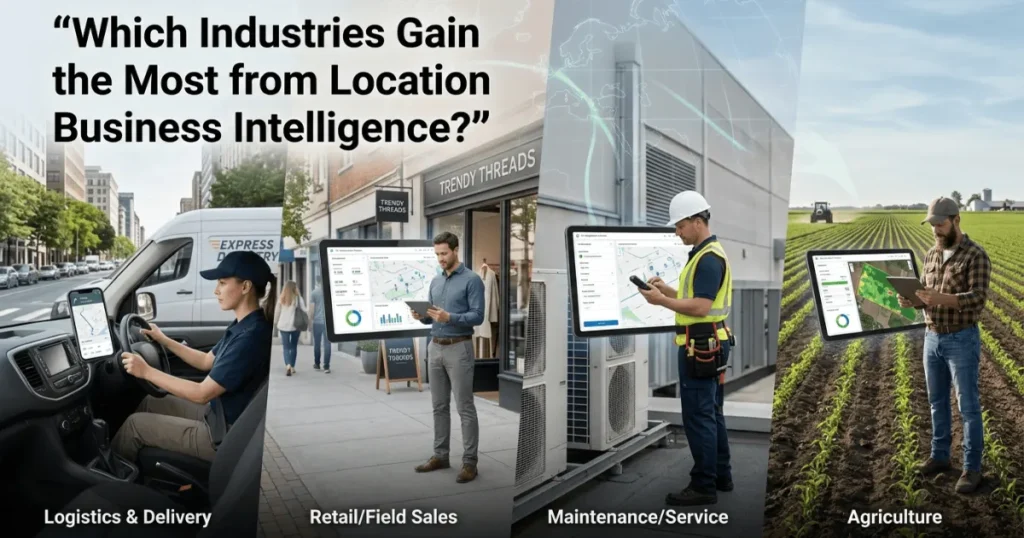
Some industries depend on location more than others. For them, missing the “where” creates daily problems. Delays, missed visits, poor coverage. It adds up fast, right? A Location Data Management App solves this by turning movement and place into clear data using geospatial data analytics.
Here is how different industries use it in real work.
1. Logistics and courier: real-time fleet intelligence
Logistics teams deal with constant movement. Without live tracking, things go off track quickly. A CRM helps monitor fleets in real time.
- Track every vehicle on a map
- Adjust routes using a CRM software
- Reduce delays and fuel waste
With location data management for logistics companies, dispatchers can react fast. If a delay happens, they see it right away. No confusion, no back and forth.
2. Retail and field sales: territory coverage insights
Sales teams often struggle with uneven coverage. Some areas get too much attention, others get ignored. That is a common issue, honestly.
A location intelligence platform shows:
- Which areas are visited often
- Which zones are missed
- Where sales are strong or weak
With task assignment software, managers can assign visits based on location. This improves coverage and boosts performance. It just makes planning easier.
3. Maintenance and repair: location-verified site visits
Service teams need proof of work. Manual logs can be wrong or incomplete. That creates disputes.
A Location Data Management App fixes this with geo-tagging:
- Verify technician visits with GPS
- Record time and place automatically
- Keep clean audit trails
Now, every job is backed by data. No guesswork. No arguments later.
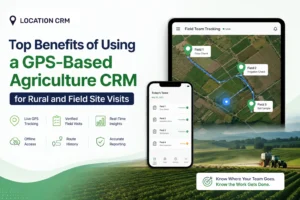
4. Agriculture: GPS field monitoring and crop tracking
Farming is deeply tied to location. Each field behaves differently. Soil, water, and crop health vary by area.
Using geospatial data analytics, farmers can:
- Track crop performance by field
- Monitor equipment movement
- Plan activities based on location data
This answers how to manage location data for agriculture business in a very practical way. A location CRM App helps store and use this data over time, making each season smarter than the last.
How to Build a Location Data Management System
Setting up a location system does not have to be hard. Many teams overthink it, honestly. The goal is simple. Get all your location data in one place, use it in real time, and make better decisions. A Location Data Management App makes this process smooth and practical.
If you are wondering how to manage location data for business, these steps will help you get started.
Step 1 – Centralize all location data in one platform
Scattered data is a big problem. Some data sits in spreadsheets, some in apps, and some is not tracked at all.
Bring all location data into one location CRM App:
- Store addresses, routes, and visit logs
- Sync field data in real time
- Access everything from one dashboard
This is where a location intelligence platform like LocationCRM fits in. It connects all your data and keeps it organized. No mess, no confusion.
Step 2 – Assign tasks with GPS-pinned coordinates
Tasks without location create errors. Teams waste time finding places or calling for directions. It gets frustrating, right?
Use GPS-based task assignment:
- Pin exact job locations on a map
- Assign tasks using Location CRM
- Guide teams with clear directions
This improves accuracy and reduces delays. It also works well with route optimization software, so teams follow the best path every time.
Step 3 – Track, verify, and export location reports
Tracking is where the real value shows up. You need proof of work, not just updates.
With a Location Data Management App:
- Track team movement
- Verify visits with geo-tagged data
- Export reports for audits and review
Using geospatial data analytics, these reports highlight patterns and issues. Managers can see what is working and what needs fixing. That is why location data is important in business intelligence. It turns daily work into clear, usable insights.
Common Challenges in Location Data Management
Location data brings strong insights, but it also comes with a few real issues. Teams often struggle at the start. Data can be messy, systems may not connect, and privacy rules must be followed. Sounds familiar, right? A good Location Data Management App helps reduce these problems, but you still need the right setup.
Let’s look at the most common challenges and how to handle them.
Data accuracy, privacy, and compliance concerns
Bad data leads to bad decisions. If GPS points are wrong or delayed, reports lose value. Small errors can create big confusion, honestly.
There is also privacy, businesses must follow rules.
Key concerns include:
- Inaccurate or missing location data
- Lack of user consent for tracking
- Risk of data misuse or leaks
A reliable location CRM software helps by:
- Capturing accurate GPS data
- Storing data securely
- Managing consent and access control
This keeps both data quality and compliance in check.
The Future of Location Intelligence in Business
Location data is getting smarter and faster. It is no longer just about tracking where things are. It is about predicting what will happen next. That shift is changing how businesses use a Location Data Management App in daily work.
AI is now working closely with geospatial data analytics. Systems can predict delays, suggest better routes, and adjust plans in real time. This makes route optimization software more accurate and less reactive.
At the same time, IoT devices are adding more data layers. Sensors in vehicles, devices, and even equipment send live updates. A location intelligence platform can combine all this into one view. Teams get real-time insights without waiting.
Hyperlocal data is also becoming a big edge. Businesses are focusing on small areas, not just regions. Street-level insights help improve service, reduce costs, and boost results.
For field-first teams, this is a big shift. A strong location CRM turns raw location data into fast, clear decisions. That is where things are heading.
Conclusion: Location Data Is Your Next BI Advantage
Most businesses already have location data. They just do not use it well. That is the gap. A Location Data Management App turns raw location data into clear, useful insights. It adds the missing “where” to business intelligence, which changes how decisions are made.
Here are the key takeaways:
- Location data brings context to numbers and reports
- Real-time tracking improves speed, accuracy, and accountability
- Tools like location CRM make data easy to use with geospatial data analytics
If you are still relying on basic reports, you are missing out. Plain and simple, right?Start managing your location data smarter – Book a LocationCRM demo.
Yes, and this is often overlooked. Sales teams may focus too much on certain areas while ignoring others. A location intelligence platform shows coverage gaps, high-performing regions, and missed opportunities. With task assignment software, managers can assign visits based on location and balance territory coverage effectively.
FAQ
1. How to manage location data for business without technical complexity?
Most businesses struggle with scattered data across spreadsheets, apps, and manual logs. The easiest way is to use a Location Data Management App that stores all location data in one place. It should allow you to save locations, assign tasks, and track activity without needing technical skills. A good location CRM software simplifies this by giving a single dashboard where everything is organized and easy to access.
2. Why is location data important in business intelligence?
Without location, business data lacks context. You may know what happened, but not where it happened. That creates blind spots. Location data adds clarity by showing patterns across regions, routes, and territories. With geospatial data analytics, businesses can identify problem areas, improve decisions, and act faster based on real-world conditions.
3. How can logistics companies improve delivery performance using location data?
Delivery teams often face delays due to poor route planning and lack of visibility. With location data management for logistics companies, businesses can plan better routes, reduce travel time, and avoid repeated delays. Using route optimization software, managers can assign efficient routes and improve delivery speed while cutting fuel costs.
4. How do you verify field team work without constant supervision?
Manual updates and calls are unreliable and time-consuming. A better way is to use geo-tagged task records. A Location Data Management App logs where and when a task was completed, creating proof of work. This removes the need for constant follow-ups and improves accountability without micromanaging teams.
5. Can location data help improve sales team performance?
Yes, and this is often overlooked. Sales teams may focus too much on certain areas while ignoring others. A location intelligence platform shows coverage gaps, high-performing regions, and missed opportunities. With task assignment software, managers can assign visits based on location and balance territory coverage effectively.