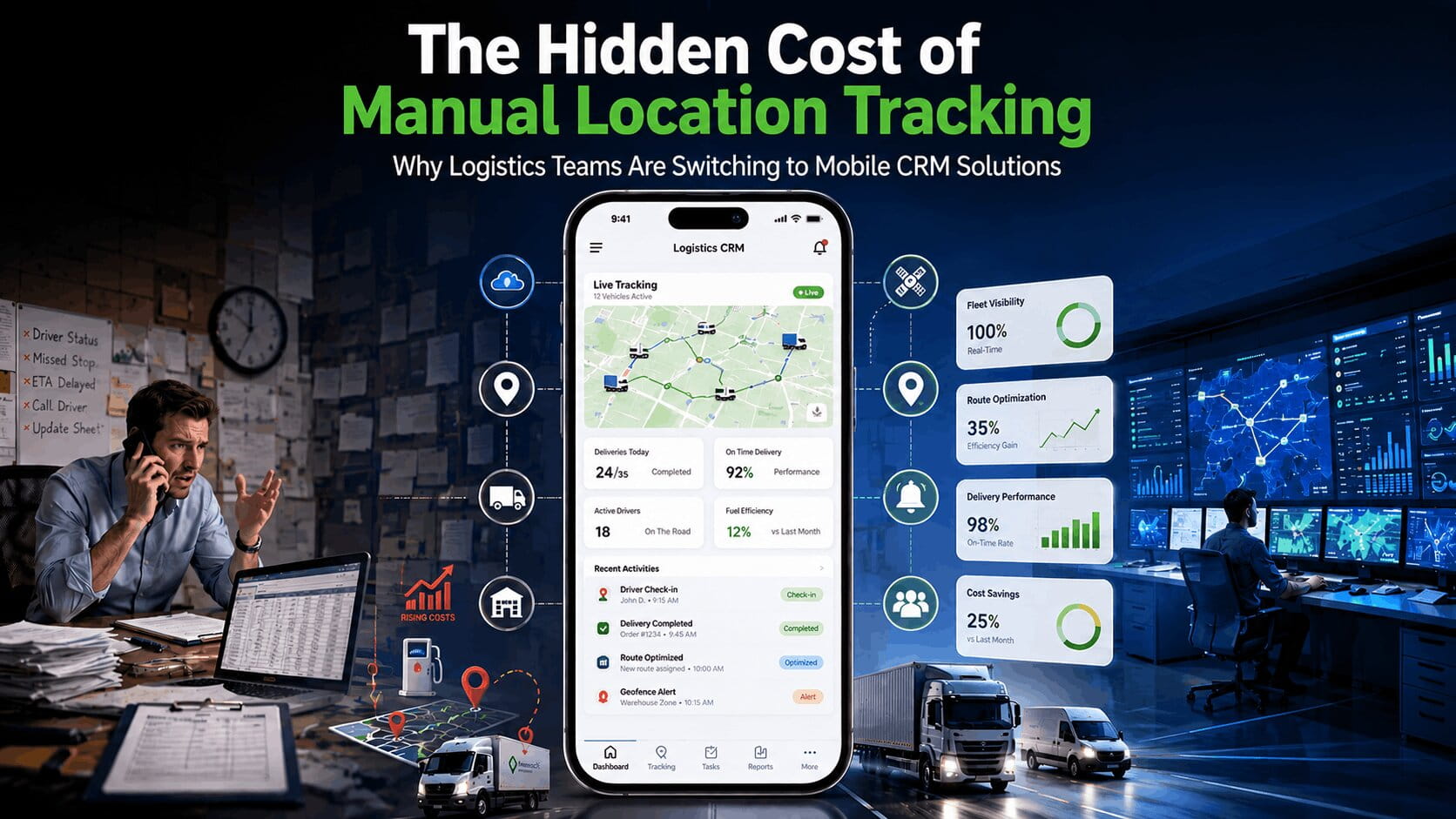

There is a hidden cost sitting inside many logistics businesses right now. It is not fuel prices. It is not driver wages. It is not vehicle maintenance. It is manual location tracking.
Many logistics companies still rely on phone calls, spreadsheets, paper notes, WhatsApp messages, and manual status updates to track deliveries, field staff, warehouses, and service locations. The process feels manageable when operations are small. As delivery volumes grow, those simple methods start creating delays, errors, and unnecessary expenses.
A dispatcher spends time calling drivers for updates. Drivers stop to share locations manually. Managers struggle to verify site visits. Customer service teams chase delivery information. What looks like a small administrative task quickly turns into a major operational cost.
The good news is that most of these costs can be eliminated with automated location tracking and logistics CRM app.
Key Takeaways
Many logistics companies focus on fuel costs, vehicle maintenance, and labor expenses. Yet one of the biggest profit drains often comes from manual location tracking.
Before getting into the details, here are the main points every logistics manager should know:
- Manual location tracking increases labor and administrative costs.
- Delayed location updates slow dispatch decisions and route planning.
- Communication bottlenecks reduce driver productivity.
- Poor visibility often leads to missed deliveries and customer complaints.
- GPS-based tracking helps verify site visits and task completion.
- Automated location tracking improves operational efficiency and accountability.
- Logistics CRM software centralizes locations, tasks, reports, and employee activities.
Businesses that replace manual processes with automated tracking often gain better visibility, faster decision-making, and stronger customer service.
What Is Manual Location Tracking in Logistics?
Manual location tracking is the process of monitoring drivers, delivery teams, technicians, or field employees using non-automated methods.
Common examples include:
- Phone calls for location updates
- Spreadsheet-based route records
- Paper delivery logs
- WhatsApp location sharing
- Manual check-in reports
- Email-based delivery confirmations
Many logistics businesses start this way because it appears inexpensive. There are no software subscriptions and no complex systems to learn. The problem appears when operations scale.
A company managing 10 deliveries per day may survive with manual tracking. A company handling 200 deliveries daily faces a completely different challenge. Small inefficiencies become expensive very quickly.
Why Manual Tracking Sticks Around?
The honest answer: the people who built the current system are usually the ones most invested in keeping it. A spreadsheet that’s been running for eight years has history in it. Everyone already knows the process. There’s no onboarding required. When something breaks, there’s a familiar path for handling it.
Switching means taking on short-term disruption for long-term gain, and some operations managers have watched software rollouts fail before. That caution isn’t irrational. GPS tracking implementations that get bolted onto the wrong workflow, or that don’t account for driver habits, often get quietly abandoned after a few weeks.
The real question isn’t “manual vs. automated.” It’s what staying manual actually costs at your current scale, versus what a realistic implementation actually looks like. Most logistics businesses underestimate the first and overestimate the second. Badly.
7 Signs Your Logistics Business Has A Tracking Problem
Most logistics managers know their tracking process is broken. They keep using it anyway.
Not because they haven’t thought about it. The spreadsheet is ten years old, everyone understands it, and replacing it feels riskier than tolerating it. The cost of staying manual never shows up clean on any report, so it gets ignored.
But it adds up. McKinsey’s workforce productivity research puts the number at nearly 20% of the workweek lost to chasing status updates and tracking down colleagues. In logistics, that’s dispatchers calling drivers, managers confirming arrivals by phone, drivers stopping mid-route to report where they are. None of it looks like waste. It looks like work. But slower deliveries and thinner margins are where it actually lands.
Manual tracking becomes invisible over time. After doing it long enough, it stops feeling inefficient and simply becomes part of the job.
Here’s a quick check. If three or more of the following situations are regular parts of your week, your business may be absorbing costs that never appear directly on the books.
1. Dispatchers Spend Most of Their Day Calling Drivers
That’s not dispatch work. Every call asking “where are you?” is time spent recovering information that should already be on screen. And the moment the call ends, the answer is already wrong.
2. Customers Get Updates Later Than They Should
If someone on your team has to call the driver before they can answer a customer, that’s a visibility gap. Customers calling for updates aren’t being difficult. They’re just filling the hole your system left open.
3. Route Planning Takes Longer Than the Delivery Itself
No live view means every next-job decision is a guess. Dispatchers wait for callbacks. They make calls based on information that’s 20 minutes stale. That delay stacks across every shift.
4. Proving a Site Visit Means Making More Calls
A disputed delivery or a questioned technician visit should take under a minute to verify. If it currently takes a phone call, a handwritten log check, and a receipt review, that’s an accountability problem hiding in plain sight.
5. Weekly Reports Are a Manual Job
Delivery records. Route logs. Driver activity. If someone on your team spends hours pulling this from spreadsheets and chasing drivers for missing entries, that’s overhead your competitors aren’t carrying. A Gartner supply chain analysis put the average at 4 to 6 hours per week for teams still running manual reporting. Those reports should generate themselves.
6. Drivers Spend Time Reporting Where They Are
Text, call, check-in form, it doesn’t matter. Every manual update is time a driver isn’t delivering. Ten drivers, four updates a day. Do the math.
7. Late Deliveries Don’t Have Clear Explanations
When you can’t see where a delay happened, you can’t fix it. You can only wait for it to happen again. Project44’s supply chain visibility study found 69% of shippers cite missing real-time tracking as the main reason they can’t diagnose delivery failures before a customer complaint lands.
The more of these fit, the more you’re absorbing costs that automated tracking eliminates in the first week.
Logistics Tracking By The Numbers
Location visibility affects nearly every part of logistics operations. Small inefficiencies repeated hundreds of times each week can create significant costs.
| Metric | Operational Impact |
| Driver location updates | Multiple manual touchpoints daily |
| Dispatcher communication | Hours spent gathering information |
| Data entry tasks | Increased risk of human error |
| Route inefficiencies | Higher fuel consumption |
| Delivery corrections | Additional labor and travel expenses |
| Manual reporting | Reduced management productivity |
What makes these numbers important is their cumulative effect. A few minutes lost on every delivery can become dozens of hours lost across an entire fleet each month.
The Direct Costs Most Logistics Companies Miss
Most logistics costs are easy to identify. Fuel appears on reports. Vehicle maintenance has invoices. Payroll is easy to calculate. Manual location tracking is different.
Its costs rarely appear as a separate expense. Instead, they show up through lower productivity, slower dispatch decisions, additional customer service work, unnecessary fuel consumption, and missed delivery opportunities.
Because the cost is spread across multiple departments, many businesses underestimate its impact.
1. Extra Labor Hours
Consider a logistics coordinator responsible for tracking 30 drivers.
If they spend just five minutes per driver collecting location updates each day, that equals:
- 150 minutes daily
- More than 12 hours weekly
- More than 600 hours annually
That is hundreds of hours spent gathering information that could be automatically available.
2. Administrative Overhead
Manual tracking creates duplicate work.
Location information often gets recorded multiple times:
- Driver notes
- Dispatcher spreadsheets
- Customer records
- Delivery reports
The same information moves between systems repeatedly.
Every transfer increases the risk of errors.
3. Higher Fuel Expenses
Without real-time visibility, route optimization becomes difficult.
Drivers may:
- Take longer routes
- Miss nearby stops
- Backtrack unnecessarily
- Waste fuel during dispatch confusion
A few extra miles per vehicle every day can translate into thousands of dollars annually.
4. Rework And Corrections
Incorrect addresses, missed updates, and delayed communications often create additional trips.
Each repeated visit increases:
- Fuel costs
- Labor costs
- Vehicle wear
- Customer frustration
How Manual Tracking Slows Daily Logistics Operations?
Location data drives nearly every logistics decision. When that data arrives late or contains errors, operations slow down.
1. Delayed Dispatch Decisions
- Dispatchers need current location information to assign jobs effectively.
- When updates arrive through calls or messages, decisions are based on old information.
- A driver may already be ten miles away by the time the dispatcher receives an update.
- That delay affects route planning and delivery scheduling.
2. Communication Bottlenecks
Many logistics teams operate through constant phone calls.
- Drivers call dispatchers.
- Dispatchers call drivers.
- Customer service calls dispatchers.
- Managers call everyone.
- The result is communication overload.
Instead of focusing on deliveries, teams spend much of their day exchanging status updates.
3. Missing Location Visibility
Managers cannot effectively manage what they cannot see.
Without live tracking, answering simple questions becomes difficult:
- Which driver is closest?
- Has the technician arrived?
- Was the delivery completed?
- Which locations remain unfinished?
Those questions should take seconds to answer. Manual systems often require several phone calls.
The Customer Service Impact Nobody Talks About
Customers expect accurate delivery information.
- They want updates.
- They want estimated arrival times.
- They want confidence that their shipment is moving according to plan.
- Manual tracking makes those expectations difficult to meet.
1. Missed Deliveries
- A wrong address note or delayed location update can result in failed delivery attempts.
- The cost extends beyond one delivery.
- Customers lose trust.
- Future orders become less likely.
2. Poor Status Visibility
Customer service teams often struggle to provide accurate updates because they lack current information.
When customers hear:
- “Let me call the driver and check,” it signals a visibility problem.
Modern logistics operations should provide answers instantly.
3. Brand Reputation Damage
- One late delivery may be forgiven.
- Repeated delays create a reputation problem.
Online reviews, customer complaints, and lost referrals can become a much bigger cost than the original delivery issue.
Employee Productivity Losses Add Up Quickly
Drivers and field employees should focus on completing tasks. Manual location tracking creates distractions.
1. Time Spent Reporting Instead Of Working
Many field workers stop multiple times daily to:
- Report locations
- Send messages
- Update spreadsheets
- Confirm visits
Those activities add no direct value to customers.
2. Lack Of Accountability
Without location verification, managers often struggle to confirm:
- Site visits
- Arrival times
- Task completion
- Route compliance
This creates uncertainty throughout the organization.
3. Limited Performance Measurement
- Measuring productivity becomes difficult when records are incomplete.
- Businesses cannot improve processes if they lack accurate operational data.
Compliance and Reporting Risks
Location records are increasingly important for reporting and accountability. Manual systems often create gaps in documentation.
1. Missing Proof Of Visit
A customer claims a technician never arrived.
How do you verify the visit?
If documentation depends on handwritten notes or manual reports, proving the visit becomes challenging.
2. Incomplete Historical Records
Many businesses need access to historical location information.
Examples include:
- Customer disputes
- Internal audits
- Compliance reviews
- Performance evaluations
Manual systems often make finding historical records difficult.
3. Reporting Delays
Creating reports from spreadsheets and paper records takes time.
Managers may spend hours gathering information before producing meaningful insights.
Manual Tracking Vs Automated Location Tracking
Location data drives nearly every logistics decision.
The biggest difference between manual and automated tracking is not the technology itself. It is the quality and speed of information available to dispatchers, managers, and field teams.
When location data arrives late, decisions are based on where drivers were instead of where they are now.
That gap creates delays that multiply throughout the day.
| Area | Manual Tracking | Automated Tracking |
| Location Updates | Delayed | Real-Time |
| Data Entry | Repeated | Automatic |
| Task Monitoring | Limited | Instant Visibility |
| Driver Accountability | Difficult | GPS Verified |
| Reporting | Manual | Automated |
| Route Tracking | Inconsistent | Continuous |
| Customer Updates | Delayed | Accurate |
| Decision Making | Reactive | Proactive |
The biggest advantage is not just efficiency.
It is visibility.
When managers can see operations in real time, they make better decisions.
Many businesses hesitate to modernize because manual tracking feels familiar. The reality is that both approaches have advantages and limitations.
1. Manual Tracking Advantages
- Minimal upfront investment
- Familiar processes for employees
- No software setup required
2. Manual Tracking Limitations
- Higher administrative workload
- Greater risk of human error
- Delayed decision-making
- Limited operational visibility
- Difficult reporting processes
- Poor scalability as operations grow
1. Automated Tracking Advantages
- Real-time location visibility
- Faster dispatch decisions
- Better route management
- Stronger accountability
- Accurate reporting
- Improved customer experience
2. Automated Tracking Limitations
- Initial implementation effort
- Employee onboarding requirements
- Process adjustments during rollout
For growing logistics businesses, the long-term operational gains typically outweigh the short-term transition effort.
How Location CRM Eliminates Hidden Logistics Costs?
Many logistics businesses already have drivers, dispatchers, and workflows in place.
What they lack is a centralized system connecting locations, tasks, and field activity.
Location CRM solves this problem through location-based operational management. It combines location tracking, task assignment, reporting, and field workforce visibility in one platform.
1. Real-Time Location Visibility
Field staff can access assigned locations directly from the mobile app.
Managers gain visibility into location-related activities without waiting for manual updates.
2. Location-Based Task Assignment
Tasks can be linked directly to locations.
Employees receive:
- Assigned locations
- Task details
- Status requirements
- Navigation support
This reduces confusion and improves execution accuracy.
3. GPS Location Verification
One of the largest challenges in logistics is proving that work occurred at the correct location.
Location CRM provides GPS-based location verification with timestamps that confirm site visits and task completion.
4. Check-In And Check-Out Records
Managers can verify:
- Arrival times
- Departure times
- Visit duration
- Task completion history
These records create stronger accountability throughout operations.
5. Activity History And Reporting
Every update, task change, and location interaction is stored within a centralized history log.
Managers gain access to:
- Location reports
- Task reports
- User activity history
- Performance insights
Instead of spending hours compiling reports, information is available immediately.
6. Real-Time Synchronization
- Updates synchronize between field employees and management teams automatically.
- Everyone works from the same information.
- No spreadsheet updates.
- No manual reporting delays.
- No confusion.
Business Benefits Of Automated Location Tracking
Location tracking software delivers more than location visibility. It improves how people, tasks, and operations work together.
| Business Challenge | Automated Solution |
| Missing location updates | Real-time GPS visibility |
| Unverified site visits | GPS location verification |
| Delivery delays | Better route management |
| Manual task tracking | Location-linked assignments |
| Reporting bottlenecks | Automated reports |
| Communication overload | Centralized information |
| Poor accountability | Time-stamped activity logs |
These improvements become even more valuable when combined with task assignment, location verification, reporting, and activity history features available within Location CRM.
Real-World Logistics Tracking Scenarios
The value of automated location tracking becomes easier to understand when viewed through actual operational situations.
1. Last-Mile Delivery Operations
Drivers receive assigned locations and task details directly through the mobile application. Managers gain visibility into delivery progress without making repeated phone calls.
2. Warehouse Distribution Routes
Distribution teams often move inventory between warehouses, fulfillment centers, and customer locations. Real-time visibility helps coordinate these movements more efficiently.
3. Field Service Logistics
Technicians can receive task-linked navigation, assigned locations, and work instructions within a single platform. Location verification confirms that visits occurred at the correct site.
4. Multi-Region Transportation Operations
As logistics businesses expand into new territories, tracking operations becomes increasingly difficult. Centralized reporting and synchronized updates help managers maintain visibility across multiple service areas.
Steps To Move Away From Manual Tracking
Transitioning does not need to happen overnight. A practical approach works best.
Step 1: Identify Current Bottlenecks
- Review how location information currently flows through the business.
- Look for delays, duplicate work, and communication gaps.
Step 2: Calculate Hidden Costs
Estimate:
- Hours spent collecting updates
- Fuel wasted through inefficiencies
- Cost of missed deliveries
- Administrative labor expenses
Many businesses are surprised by the total.
Step 3: Start With A Pilot Program
- Avoid changing every workflow at once.
- Begin with a small group of drivers, technicians, or field employees. A short pilot program helps identify training needs, process gaps, and adoption challenges before expanding across the organization.
Step 4: Focus On Adoption
- Technology alone does not solve tracking problems.
- Employees need clear training and practical examples showing how automated tracking reduces manual reporting, simplifies daily tasks, and improves communication.
- Strong adoption usually determines whether a rollout succeeds.
Step 5: Measure Results
Track improvements in:
- Delivery times
- Labor efficiency
- Customer satisfaction
- Task completion rates
Most businesses see measurable gains within the first few months.
The Real Cost Is Staying Manual
Manual location tracking often appears free because businesses already have spreadsheets, phones, and messaging apps. The reality is very different.
The cost shows up in wasted labor hours, missed deliveries, communication delays, customer complaints, fuel expenses, and lost business opportunities. As logistics operations grow, those costs grow with them.
Location tracking, task management, GPS verification, activity history, and real-time synchronization are already available through Location CRM. The technology exists. The workflows are proven. The visibility is available.
The question is no longer whether logistics companies need automated location tracking. The question is how much longer they can afford to operate without it.
FAQs
Why is manual location tracking expensive?
The cost goes beyond software savings. Employees spend extra hours updating locations, dispatchers make more calls, and delivery mistakes increase. Fuel waste, missed jobs, overtime, and customer complaints can quickly raise operating expenses.
How does manual tracking affect delivery performance?
Without real-time visibility, dispatchers may struggle to monitor driver progress and delivery status. This can lead to route delays, missed deliveries, scheduling issues, and slower response times when customers request updates.
What are the biggest risks of manual logistics tracking?
Common risks include incorrect location records, poor communication, missing proof of delivery, inaccurate reports, and difficulty verifying field activity. These issues can affect customer satisfaction and create operational challenges.
How can GPS tracking improve logistics operations?
GPS tracking provides live location updates, route visibility, and accurate delivery records. Managers can monitor field teams, assign tasks faster, reduce travel time, and improve overall operational efficiency across logistics networks.
How does a logistics CRM help with tracking?
A logistics CRM combines location management, task assignment, reporting, and employee tracking in one system. Teams can manage deliveries, monitor progress, and access location history without relying on spreadsheets or manual updates.