
Most moving companies still track field jobs on spreadsheets. Switching to a CRM for moving companies fixes the one problem spreadsheets never will: your team in the field has the wrong address, the manager has no idea where the crew is, and nobody updated the shared sheet since Tuesday. If your dispatcher is making ten calls a day just to get status updates, that’s not a workflow problem. That’s a tool problem. This article breaks down exactly where spreadsheets stop working, what a location-based field CRM does differently, and how to make the switch without disrupting your operations.
Table of Contents
Why Do Most Moving Businesses Start with Spreadsheets?
Most moving businesses start with spreadsheets because they’re free, familiar, and quick to set up. For small teams handling a limited number of jobs, spreadsheets are often enough to manage schedules, customer details, and daily operations without investing in dedicated software.
When you’re running a two-truck operation and you know every customer by name, a shared Google Sheet gets the job done. It costs nothing. Everyone knows how to use it. You set it up in an afternoon and it works well enough that you don’t question it for the next two years.
That’s the honest truth about spreadsheets. They’re not bad tools. They’re just the wrong tool once your operation grows past a certain point. According to Salesforce’s State of Sales report, 16% of their average workweek manually enters data, contributing to the fact that 60% of their time is spent on non-selling activities. For moving teams, that problem is even worse because the data isn’t just customer names. It’s job addresses, crew assignments, truck availability, timing windows, and site-specific notes that need to reach the right person before the truck leaves.
Free, Familiar, and Fast to Set Up from Day One
There’s a reason spreadsheets survive in this industry so long. The learning curve is basically zero. Your office staff already knows Excel or Google Sheets. Your drivers don’t need any app. You start tracking jobs in rows and columns, it works at low volume, and nobody complains.
Cost is the other big thing. Moving company field management software carries a monthly price tag. Spreadsheets don’t. When cash flow is tight, free wins. That’s a real business decision, not a bad one.
When Spreadsheets Are Actually Fine for Your Team?
Spreadsheets are fine if you’re handling fewer than 15 jobs per month with a team of two or three people. At that volume, one person can hold most of the operation in their head. Updates get made. Mistakes get caught. The system works because the team is small enough that communication happens naturally.
But once you add a second crew, or a third, or you start getting 30-plus jobs in a month, the cracks show up fast.
The Moving Operations Problem Spreadsheets Can’t Solve
Here’s something nobody talks about in these spreadsheets vs CRM for movers comparisons. Most of them are written for sales teams at desk jobs. Moving companies are different. Your people are in the field all day. They’re in vans, at pickup addresses, loading trucks in the heat. They don’t have time to call the office and ask for the drop-off PIN or the customer’s gate code.
That’s a field operations problem. And spreadsheets were never built for it.
Wrong Addresses and Missed Locations Cost Real Jobs
GPS coordinates are not the same as a street address. Anyone who’s worked in field operations knows this. A customer writes “123 Oak Street, Unit 4B” and your driver pulls up to 123 Oak Street and can’t find unit 4B because the building entrance is around the back. The customer gets frustrated. The job runs late. The next job gets pushed.
A moving company field staff tracking app that saves GPS-pinned locations changes this completely. Instead of navigating from a typed address, your team navigates to the exact saved point, whether that’s the loading dock, the back entrance, or the storage unit inside a complex.
Task Updates That Live in Texts, Notes, and Calls
There’s also the documentation problem. When a job is done, where does that information live? In most spreadsheet setups, it lives in a text message to the manager, a note in someone’s phone, and maybe a row update that happens hours later. By the time it’s recorded, the detail is half gone.
With moving company tasks and location management software, the field worker marks the job complete on-site. The timestamp is automatic. The GPS location is logged. The manager sees it happen in real time. Nothing needs to be remembered or called in.
What a Location-Based CRM Does for Moving Teams?
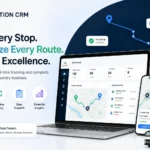
A CRM for moving companies gives dispatchers and field crews one place to manage jobs, locations, and updates.This is where the GPS tracking app for moving teams shows up in day-to-day operations. It’s not about fancy dashboards or executive reports. It’s about fewer phone calls and fewer mistakes on move day.
1. Saves Exact Pickup and Drop Locations with GPS Pins
Every job location gets saved as a GPS point, not just a street address. Your crew opens the app, taps the location, and the map takes them exactly there. If the site has a specific entry point, a gate code, or a note about where to park the truck, that information is attached to the pin. They don’t need to call anyone to find out.
This is the single thing that makes a CRM for small moving company operations worth every cent of the subscription fee. It removes the most common field mistake before it happens.
2. Assigns and Tracks Field Tasks from One Dashboard
Managers assign jobs from the office. Each assignment includes the location pin, job details, and timing. The field worker sees their task list in the app. When they arrive, they check in. When they finish, they mark it done. The manager sees all of this happen live without picking up the phone.
3. Logs Visit Time, Location, and Trip Timeline Automatically
Every site visit creates a record. The time the crew arrived, the GPS coordinates, the time they left. That’s a complete trip timeline built automatically. No one has to fill out a form or remember to update a sheet.
This is actually more useful than it sounds at first. When a customer says the crew was late, you have a GPS log that shows exactly when they arrived. When someone questions whether a delivery was made, the record is right there.
4. Plans Optimized Routes for Multiple Stops in One Trip
Batch trips are where a lot of moving companies lose time they don’t realize they’re losing. If a crew has three pickups across town, the order they visit them matters a lot. A moving company field management software tool that maps the most efficient sequence saves fuel and gets the crew home earlier. The planning happens before they leave, not while they’re driving and distracted.
What Spreadsheets Are Actually Costing Your Moving Business?
Most moving company owners think spreadsheets are free. They’re not. The tool itself is free. The way it gets used is expensive. Every hour your office staff spends chasing updates, fixing overwritten rows, and calling drivers for location checks is an hour you’re paying for. That cost doesn’t show up on any invoice, which is exactly why most teams never add it up.
The Admin Hours Your Team Spends on Coordination Calls
Think about a normal Tuesday. How many calls does your office staff make just to get a status update on active jobs? How much time does a dispatcher spend hunting through rows to find which crew is closest to a new job request?
A McKinsey study on workplace productivity found that workers spend an average of 20% of their week searching for information or tracking down colleagues. For a moving business running on spreadsheets, that number is probably higher, because the information is always spread across multiple files, inboxes, and conversations. That’s time your team could spend on actual work. It adds up to real money every single week.
Route Inefficiency and the Fuel Bill Nobody Tracks
Here’s an expense that rarely gets called out. When your crew drives from job A to job B, are they taking the most efficient route? Probably not. They’re following their GPS app, sure, but the order of jobs was planned by someone looking at a spreadsheet, not by a tool that maps the multi-stop route.
Some reports show that fuel and operational costs are among the top concerns for field-based businesses. A moving company task and location management tool that plans batch trips in sequence can cut driving time and fuel costs without your crew changing a single habit. They just follow the route the system sets.
Modern moving company field management software helps dispatchers assign jobs, monitor crews, and reduce manual coordination.
CRM for Movers vs. Spreadsheets
Here’s how the two approaches stack up across the things that actually matter in a moving operation.
| Feature | Spreadsheet | Location CRM |
| GPS location saving | Typed addresses only | Exact GPS pins with notes and photos |
| Crew tracking | Must call to find out | Real-time map view for managers |
| Task assignment with site details | Manual, copy-pasted per job | One click with saved location attached |
| Route planning for multi-stop trips | Someone plans it by hand | Optimized automatically before the crew leaves |
| Visit verification (time + location) | Not possible | Add timestamp and GPS log for every visit |
| Offline sync for low-signal areas | Requires internet connection | Records offline, syncs when signal returns |
| Report export | Manual export, usually messy | KML, XML, CSV, PDF on demand |
| Role-based access | Everyone sees everything | Manager view vs. field staff view |
| Update from the field | Call or text required | Field worker marks done on the app |
| Multi-user collaboration | Version conflicts and overwrites | Single shared system, always current |
That difference in visit verification alone is worth paying attention to. Spreadsheets give you no proof of when your crew was where. A field CRM logs it automatically. For billing disputes, customer complaints, or insurance questions, that record matters more than people expect.
Signs Your Moving Team Has Outgrown Spreadsheets
- Your manager spends more than an hour a day calling crews just to get status updates. That time is wasted, and it shouldn’t exist in the first place.
- Two people have edited the same row in your shared sheet and now neither version is correct. This happens more often than anyone admits out loud.
- A crew showed up at the wrong entrance because the address in the sheet wasn’t specific enough, and the customer complained.
- You can’t tell right now which of your trucks is closest to a new job request without making a phone call first.
- Your field staff texts job updates to a group chat instead of logging them anywhere. The update gets buried in twenty other messages by end of day.
- You’ve had a billing dispute and couldn’t prove when a job was completed because nothing was time-stamped.
If three or more of these sound familiar, your team has already outgrown spreadsheets. The question is just how long you want to keep paying the cost of staying on them.
The Hidden Trap of Running Both Systems Together
It’s the most common mistake when a moving company decides to switch. The new CRM goes live, the team starts using it, but the old spreadsheet stays open “just in case.” Within days, both records are out of sync, nobody trusts either one, and you’re back to square one with twice the confusion.
Two Records That Drift Apart and Neither Stays Accurate
What usually happens is this. The company gets a CRM. The team starts using it. But the old spreadsheet stays open “just in case.” Someone updates a job in the CRM but forgets to update the spreadsheet. Someone else checks the spreadsheet, sees different information, and gets confused. Now you have two sources of truth, which means you have zero.
Within a few weeks, the team doesn’t trust the CRM for moving companies yet and they don’t fully trust the spreadsheet either. Every decision takes longer because someone has to cross-reference both. The whole reason you switched was to have one clear picture of your operation. Running two systems kills that purpose entirely.
Commit to the cutover date before you start. Two weeks of running both is fine as a safety net. After that, the spreadsheet needs to be retired for good.
How the Real Cost Compares Month by Month?
Spreadsheets look free on the surface. They’re not. Once you add up the hours spent on coordination calls, manual data fixes, wrong-site visits, and unoptimized routes, the real monthly cost of running a moving operation increases.
What Spreadsheets Cost When You Add Up Coordination Time?
A moving company running 30 to 50 jobs per month probably spends 10 to 15 hours a week on coordination calls, status updates, and manual data fixes. At even a modest hourly rate, that’s thousands of dollars per week in labor, just to keep the spreadsheet accurate.A field CRM subscription costs a fraction of that. The math isn’t close.
When a Field CRM Pays for Itself for Moving Businesses?
Most moving companies see time savings in the first two to four weeks, before they’ve even figured out all the features. The coordination calls drop. The confusion about crew locations drops. Routing gets cleaner. Efficiency gains compound by month two or three as the team gets comfortable and the system starts doing what it was configured to do.
The payback period for most small to mid-sized operations is under 60 days. That’s not a marketing claim. It’s what happens when you stop paying people to do things a system can handle automatically.
How to Switch to a CRM for Movers Without Disrupting Your Operations?
You can switch without disrupting daily work by planning the transition in stages. Start with clean data, migrate active jobs first, train your team, and move fully to the new system after a short testing period.
Audit and Clean Your Location and Task Data First
Before you move anything, go through the spreadsheet and fix what’s broken. Remove duplicate entries. Standardize how you write site names. Check that every address is correct and complete. Clean data going in means clean data on the other side.
Start with Your Most Active Routes, Not Your Full History
Don’t try to move everything at once. Load your current active jobs and most-used locations into the CRM first. Use those for two to three weeks. Get comfortable with how the system works before you add historical records. This approach lets you test the tool on real, live work without putting old data in the way.
Run Both for Two Weeks, Then Commit to the Cutover
Two weeks of running the CRM alongside the spreadsheet is reasonable. It gives you time to catch anything that didn’t transfer correctly. But set a hard end date. Put it on the calendar. When that date arrives, close the spreadsheet. Don’t let it linger another month “just to be safe.”
Getting Your Moving Team to Actually Use the App
This is where a lot of switches fail. Not because the software is bad, but because nobody managed the human side of the change.
The Adoption Problem Most people forget
The technology is rarely what breaks a software rollout. It’s the habits. Your crew has a routine. They’re used to texting the office, checking a shared sheet, calling in updates. Changing that routine takes more than just installing an app on their phones. It takes a clear reason to change and someone to answer questions in the first week.
Three Things That Make Team Adoption Stick
- Assign a CRM champion. Pick one person who learns the system first, answers questions from the rest of the crew, and reports problems back to management with moving company task and location management tool. This keeps the manager from becoming the full-time help desk.
- Configure role-based access before go-live. Your drivers should only see their assigned tasks for the day. Managers get the full picture. Setting this up in advance means the app feels simple and relevant to whoever is using it from day one.
- Celebrate the first visible win out loud. When someone on the crew saves time because the GPS pin took them right to a tricky site on the first try, mention it in the team chat. That kind of story does more for adoption than any training video.
What to Look for in a CRM Built for Movers?
Not every CRM is built for field teams. Most are built for sales teams working at computers. Before you commit to one, make sure it covers these three areas:
- GPS accuracy with offline sync so the app keeps working when signal drops in the field
- Role-based access so drivers see only their jobs and managers see everything
- Exportable reports in formats your admin team can actually open and use
How Location CRM Fits the Way Moving Teams Work?
Location CRM is built around the actual flow of field operations, not a generic sales pipeline that someone adapted for movers.
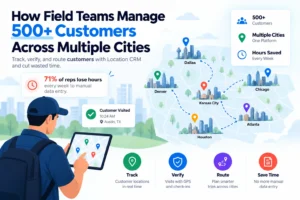
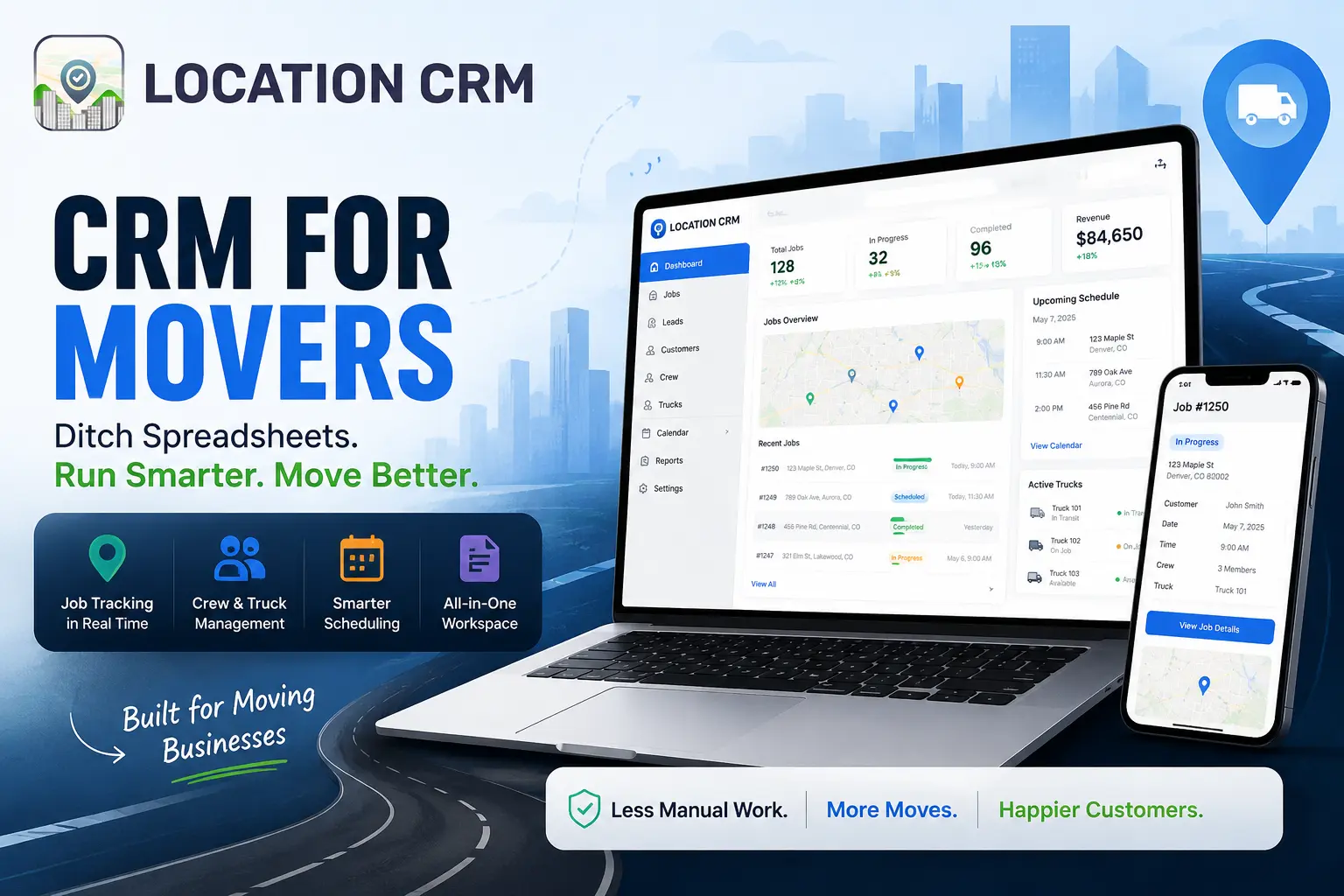
Managers save GPS-pinned locations with notes, photos, and specific site instructions attached directly to each point. Tasks get assigned to field staff with those location pins included, so the crew has everything they need before they leave the yard. The live tracking feature shows the office where each team member is without anyone making a call.
Batch trip planning groups multiple job sites into one optimized route, cutting drive time across the day. Every visit is automatically time-stamped and GPS-logged, building a clean trip timeline for every crew member with no manual input. Reports can be exported in KML, XML, CSV, JSON, or PDF format depending on what the situation calls for.
And the offline sync actually works. Your crew marks jobs complete in the field, the app holds the data, and it syncs the moment signal returns. No lost updates, no gaps in the record.
Every Wrong Address and Missed Update Has a Price
Spreadsheets don’t announce when they’ve failed you. A row sits there looking organized while your crew heads to the wrong entrance, a status update gets buried in a group chat, and a billing dispute has no timestamp to back you up.
Every one of those moments costs something real. Time. Fuel. A customer’s trust.
Location CRM solves these challenges with GPS-pinned job locations, real-time crew tracking, automatic visit logs, and optimized routes. Your moving team stays connected and organized without constant phone calls or manual follow-ups. Built specifically for moving businesses, not office desks.
FAQ
1) Can a field CRM replace spreadsheets for a small moving company?
Yes, and for most small operations, the switch pays off faster than expected. A CRM for small moving company use doesn’t have to be complicated or expensive. Starting with just the core features, location saving, task assignment, and live tracking, removes most of the coordination friction that spreadsheets create every single day.
2) How does CRM for Movers help moving teams avoid wrong addresses?
Instead of navigating from a typed address, your crew navigates to a saved GPS point. If the correct entry is a back gate or a loading dock, that exact point is saved and attached to the job. Notes and photos can be added too. The driver arrives at the right place on the first try instead of calling the office from the parking lot.
3) How long does it take for moving staff to learn a field CRM app?
Most moving company field staff tracking apps are designed for people who aren’t software users by habit. Basic proficiency usually comes within one to two days. Full comfort with the system typically takes about two weeks, which is exactly why running both systems in parallel during that window makes practical sense.
4) Can managers track moving teams in real time without calling them?
Yes. The GPS tracking feature shows every team member’s location on a map. Managers can see who’s on-site, who’s in transit, and who’s wrapped up and available for another job. No calls, no waiting, no guessing.
5) Does the app work when drivers are in areas with poor signal?
It should, if you’ve chosen the right one. Location CRM syncs offline activity when signal returns, so your crew’s check-ins and task updates aren’t lost because they were working inside a basement or a rural property with bad coverage.