
Somewhere around customer 150, most systems start to crack. A spreadsheet that worked fine for one city turns into a mess once you add three more. Addresses get typed twice. Two reps visit the same client without knowing it. Someone forgets to update a status, and a manager finds out about a missed visit a week too late.
If you’re trying to manage customers across multiple cities, this is the point where “just keep a list” stops working. You need a system built for scale, not a bigger spreadsheet.
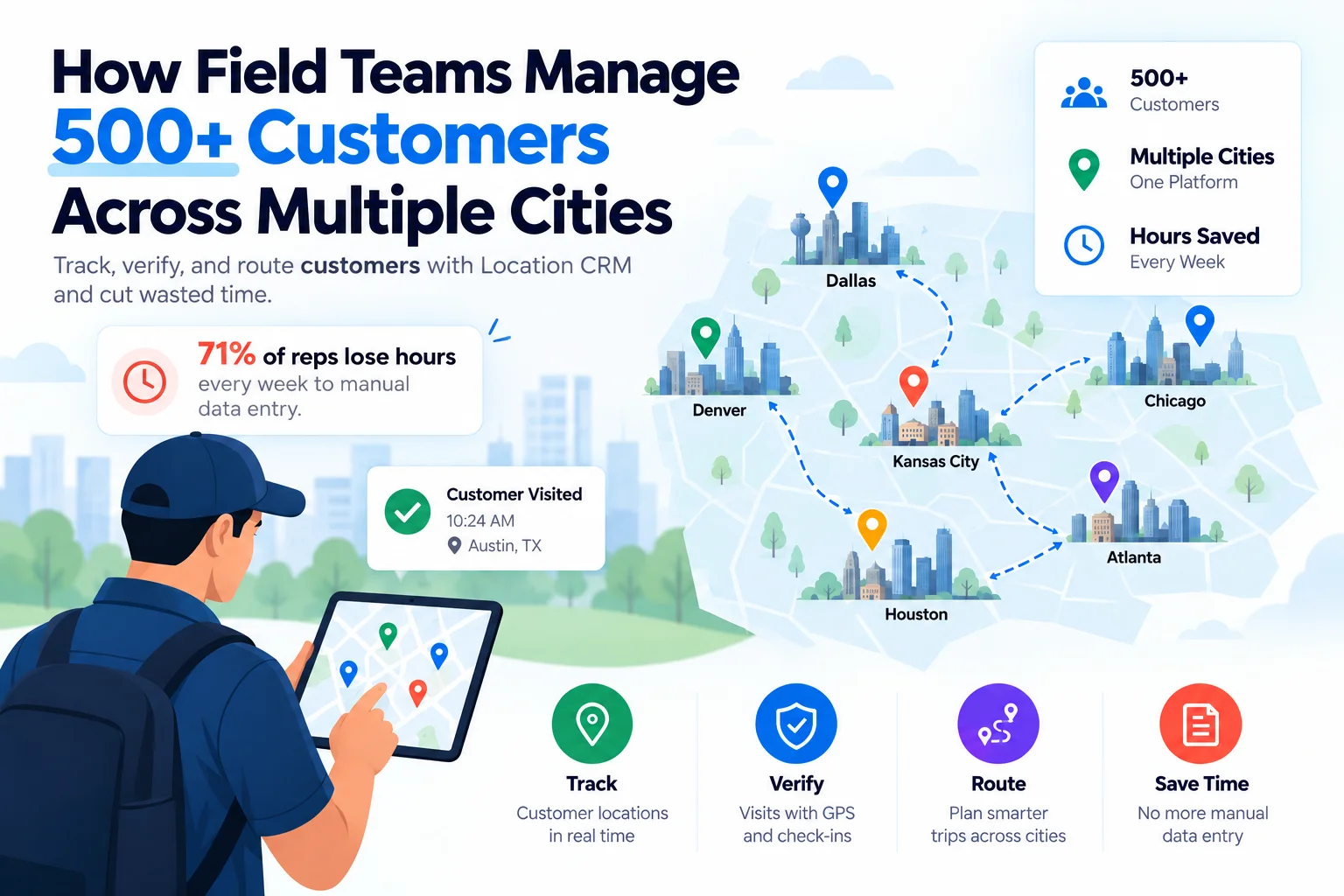
This guide walks through how growing field teams map, organize, and track 500 or more customers spread across cities, without losing data or wasting hours on the road.
Table of Contents
Why managing customers across cities gets complicated
A single city is manageable with almost any tool. Add a second, third, and fourth city, and the cracks show fast.
Spreadsheets fall apart once you cross city lines
A spreadsheet has no idea where anything actually is. It just holds text in a cell. Once you’re juggling client lists from five different cities, sorting by region turns into a chore nobody wants to touch, and fields get filled in differently by different reps. One person writes “Los Angeles,” another writes “LA,” and now your data doesn’t match itself.
Reps burn hours just hunting for basic details
Field reps spend less time selling than most people assume. SPOTIO’s 2026 State of Field Sales report found 71% of reps log five or more hours a week on manual CRM data entry alone, and nearly a quarter lose 11 hours or more just keeping records current (SPOTIO). Salesforce puts the number even higher: reps spend roughly 60% of their time on non-selling tasks like hunting down details instead of talking to customers (Salesforce). Multiply that across five cities and admin work eats your whole week without you noticing.
Get your location data in order before you scale further
A location system is really just a consistent way to store, tag, and pull up every customer record, no matter which city it’s in. Worth fixing this before customer 501 shows up.
Store a full address, coordinates, and a site note for every customer
Every customer record should carry more than a name and phone number. At minimum: full address, GPS coordinates, and a short note about the site (gate code, best entry point, who to ask for). Coordinates matter more than people think. Two addresses can look almost identical on paper and still be a 20-minute drive apart.
Group customers by city or type
Categories turn a giant pile of records into something searchable. A basic setup might look like this:
| Category type | Example values |
| City or region | Dallas, Austin, Phoenix |
| Customer type | Retail, warehouse, office |
| Priority | High-value, standard, occasional |
| Status | Active, dormant, new lead |
With tags like these, a manager can pull up every high-value client in Austin in a few taps instead of scrolling through 500 rows.
Add custom fields for how your business actually works
No two businesses track customers the same way. A logistics company might need a loading-dock note. A service business might need a warranty expiry date. Custom fields let you add what your team actually needs instead of forcing everything into a generic template built for someone else’s business.
Catch duplicates before two reps chase the same lead
Duplicates are sneaky. Two reps in different cities might both add “Johnson Hardware” because neither knew the other had already logged it. Search by name and address before adding anything new, and keep one shared record system instead of separate city lists. Sounds obvious, but it’s the single biggest cause of messy CRM data.
Add new customers on the road without losing the details
Reps find new leads mid-trip all the time, not just at their desks. If logging a new customer has to wait until they’re back at a laptop, half the details get forgotten by then.
Log the site the moment you find it
A mobile-first setup lets a rep add a brand-new location right there on the spot, pin it on the map, and move on with the day instead of scribbling it on a receipt.
Grab a photo and the coordinates before you forget
A photo of the storefront, a note on parking, exact latitude and longitude. Small details, but they save the next visit a lot of guesswork. Reps rarely regret capturing too much. They almost always regret capturing too little.
Plan smarter routes when you’re covering multiple cities
Once the data’s clean, the next problem is getting to everyone without burning half the week behind the wheel.
Batch nearby visits into one trip
Rather than bouncing between cities in a random order, group nearby customers into a single run. Some field sales vendors call the underlying problem the “traveling salesman problem,” since finding the shortest path between dozens of stops is a genuinely hard puzzle, not just a scheduling annoyance. Plan by geography first, then work out timing.
Skip the separate maps app
Jumping between a customer list and a maps app wastes time and invites typos. Field sales route planning CRM fixes this by turning a list of addresses into an actual sequence you can drive, not just a pin drop. A CRM with map integration built in lets a rep tap a record and get directions immediately, no copy-pasting addresses.
Weigh distance against how much the customer is worth
Not every stop deserves equal time. A high-value client three cities over might still be worth the drive, while a low-priority lead nearby can wait until next week.
Prove the visit actually happened
Managers can’t be in five cities at once, which is exactly where verification tools earn their keep.
GPS check-in and check-out
A customer location tracking app confirms a rep was actually at the site instead of just claiming they were. Paired with check-in and check-out logging, it builds a record that’s easy to review later and hard to fake.
Timestamp everything
Every task update, every status change, every note should carry a timestamp. Small thing, but it turns a vague “I visited them last week” into a specific, checkable fact. That alone tends to sharpen behavior before a manager even says anything.
Keep everyone’s data synced while they’re traveling
A rep in one city updates a customer’s status. A manager in another city needs to see it within minutes, not days. Without real-time sync, two team members can end up contacting the same customer with conflicting information, which looks unprofessional and wastes everyone’s time.
Delegate work across cities without losing control
Scaling past one city almost always means scaling past one manager too.
Give managers visibility without micromanaging
Regional managers should see task progress and location history for their patch without calling every rep for a status update. Dashboards and history logs handle that in the background.
Let local teams own local accounts
Role-based access lets a Denver manager see Denver data by default, while a head-office admin still sees everything. Keeps accountability local and cuts down on noise.
Batch tasks into trips instead of assigning them one by one
This saves admin time and gives reps a clearer picture of the week ahead.
Track history and reports across every city
Keep a timeline of every interaction
A history log turns scattered notes into a single timeline: every visit, every status change, every update, in one place. When a customer calls with a question about last month’s service, that timeline answers it in seconds instead of a scramble through old messages.
Break reports down by city
A single combined number hides a lot. Maybe one city has slow visit completion. Maybe another has way more new sign-ups than expected. You only catch that with city-level reporting.
What to look for in a CRM built for multiple cities
| Feature | Why it matters for multi-city teams |
| Mobile-first design | Reps work from phones, not desks |
| Map-based views | Shows coverage gaps across every city at once |
| GPS check-in/check-out | Confirms visits actually happened |
| Custom fields | Adapts to different business types and cities |
| Role-based admin access | Local managers see local data |
| Works reliably offline | Keeps functioning when signal drops on the road |
If a tool feels clunky on a phone, reps stop using it correctly, or stop using it at all. And reports only help if someone actually opens them. Simple dashboards get checked. Dense spreadsheets get ignored.
Common mistakes when managing customers across cities
- Relying on memory instead of a central system. Even a sharp manager forgets details once the customer count crosses a hundred or two.
- Skipping verification for far-off visits, because distance makes it tempting to just trust a rep’s word.
- Letting duplicate records pile up. A small mess at 50 customers becomes a real data problem at 500.
- Ignoring city-level reporting, which hides exactly which cities need attention.
Final thoughts
Managing 500 or more customers across multiple cities isn’t really about working harder. It’s about keeping location data, task tracking, and verification in one place instead of scattered across notebooks, spreadsheets, and someone’s memory. We built Location CRM around exactly this problem, so field teams can travel across cities and still know where every customer stands. Get the foundation right, and adding city number six stops being something you dread.
FAQs
What is the best way to track customers in multiple cities?
Store every customer with a full address, GPS coordinates, and a city tag, then view them on one shared map instead of separate city lists. A location-based CRM keeps records synced in real time, so a rep or manager in any city sees the same up-to-date data instead of working off an outdated spreadsheet.
How can sales reps manage 500 or more customer accounts?
Group accounts by city, priority, and status so reps work from a filtered list instead of one giant record. Batch nearby visits into single trips, log new customers on the spot with a mobile app, and let custom fields capture what actually matters for each account type.
How do you verify a sales rep actually visited a customer site?
GPS check-in and check-out logging confirms a rep was physically at the location, not just reporting it from memory. Pairing that with a timestamp on every update gives managers a record they can review later without needing a phone call to confirm it happened.
How do you plan efficient sales routes across multiple cities?
Group customers by geography first, then sequence visits within each cluster before adding timing constraints. Field sales route planning software turns a list of addresses into an actual drivable order, which cuts backtracking and frees up more selling time than manually checking a maps app stop by stop.
How can managers track employee location and task progress remotely?
Location-based CRMs like Location CRM let managers view real-time GPS positions alongside task status, without calling each rep for an update. Check-in and check-out logs confirm where someone was and when, while dashboards show completed, pending, and overdue tasks by city, so oversight doesn’t depend on end-of-day reports.